next 1221 Mobile App
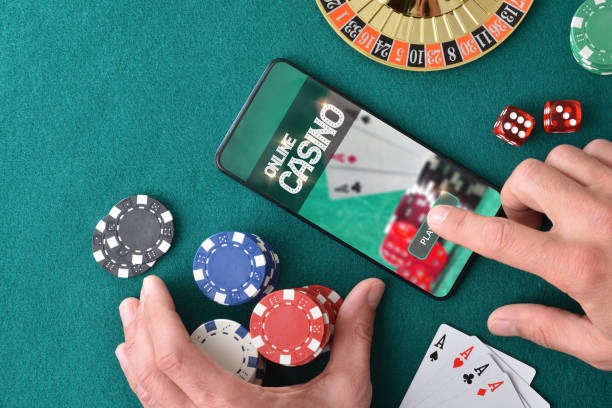
Accessing next 1221 through a mobile device—whether Android, iOS, or web browser—shapes how you interact with our sports markets, live dealer tables, and payment flows. We design our mobile experience to prioritise security, speed, and clarity around account verification and fund transfers. Your device becomes the gateway to Liga 1 coverage, esports markets like Mobile Legends and PUBG Mobile, and live blackjack and roulette sessions, all while maintaining the same encryption and KYC standards we apply across our platform.
- LoginOTP Verification
- SHA256 Match
- StartFirst Game
- Update
Our next 1221 app and browser versions are built for users in supported jurisdictions who need reliable access to deposit methods such as DANA, e-wallet, mobile banking, local payment, online payment, e-wallet, and virtual account transfers through mobile banking, local payment, online payment, and e-wallet. The mobile environment lets us deliver real-time settlement notifications, two-factor authentication prompts, and withdrawal status updates directly to your device without the friction of desktop-only access.
Whether you install our Android APK, use our iOS Safari-optimised view, or access next 1221 through a progressive web app, the underlying account security, payment processing, and data handling remain consistent. This page walks through each installation path, explains what permissions we request and why, and covers common setup questions.
How to access next 1221 on mobile
We offer three primary routes to access next 1221 on a mobile device. Each has distinct advantages depending on your device type, storage capacity, and preference for app notifications versus browser convenience.

The Android APK path gives you a dedicated app icon on your home screen, push notifications for live events and withdrawal confirmations, and offline caching so you can review past bets and account statements without an active internet connection. iOS users access next 1221 through Safari or Chrome, then add a shortcut to their home screen—this provides app-like convenience without requiring App Store approval. Our progressive web app works on any modern browser and syncs your session across devices, making it ideal if you switch between phone and tablet.
Installation and setup walkthrough
- Download: For Android, visit our download page and select the APK file; for iOS, open Safari and navigate to next 1221; for web, simply bookmark the URL.
- Install: Android users may need to enable "Unknown sources" in Settings → Security; iOS users tap "Add to Home Screen" from the Share menu; web users proceed directly to login.
- Register or log in: Enter your email, create a secure password, and complete email verification before accessing any games or payment features.
- Complete KYC and add a payment method: Upload your government-issued ID and address proof, then select DANA, e-wallet, mobile banking, or a bank virtual account to begin deposits and withdrawals.
Key takeaways
- Android APK offers offline cache and push notifications; iOS uses browser-based access with home-screen shortcut; web app syncs across all devices.
- All three paths enforce the same KYC verification, two-factor authentication, and encrypted payment processing.
- Enable "Unknown sources" on Android only if installing from our official download link; never sideload APKs from untrusted sources.
- Your account, balance, and transaction history remain identical whether you access via app, browser, or web—no separate logins needed.
After installation, your first login triggers an email verification step. We send a confirmation link to the address you registered; clicking it activates your account. Next, you'll be prompted to upload KYC documents—a government ID (passport, driver's license, or national ID card) and proof of address (utility bill, bank statement, or rental agreement dated within the last three months). This verification typically completes within 24 hours. Once approved, you can select a deposit method and fund your account.

Deposits via mobile banking, local payment, or online payment typically settle within subject to verification. Bank virtual account transfers (e-wallet, mobile banking, local payment, online payment) may take 1–3 hours depending on your bank's processing schedule. We display real-time status updates in your account's transaction history, so you always know where your funds stand. Withdrawals follow the same security review: we verify your identity, check for any pending disputes, and process the transfer back to your original payment method within 24 hours on business days.
App versus browser: strengths and considerations
The Android APK app excels at offline functionality—once you've loaded a page, it caches the data locally, so you can review your betting history, account balance, and past withdrawals even without an internet connection. The app also sends push notifications for live event updates, withdrawal confirmations, and login alerts, which is especially useful if you're monitoring a Liga 1 match or waiting for a fund transfer to clear. App sessions persist longer, meaning you stay logged in across app restarts unless you manually sign out. The trade-off is that the APK requires storage space (roughly 40–60 MB) and periodic updates as we add new markets or security patches.
Browser access—whether on iOS Safari, Android Chrome, or desktop—offers portability without installation. You can access next 1221 from any device with a web browser, and your session syncs automatically if you use the same account. There's no storage footprint, and you always have the latest version without waiting for an update. However, browser sessions may expire after a period of inactivity, and you won't receive push notifications unless you explicitly enable them in your browser settings. For users in Jakarta, Surabaya, Bandung, or other cities with variable network conditions, the app's offline cache can be a decisive advantage during peak hours or network congestion.
The progressive web app (PWA) bridges both worlds: it installs like an app (with a home-screen icon), but runs in your browser and updates automatically without requiring manual APK or app-store downloads. The PWA works on Android and iOS, syncs your session across devices, and offers modest offline functionality for cached pages. For most users, the PWA is the simplest path—no "Unknown sources" permission needed, no app-store account required, and no storage concerns.
Device and browser compatibility
Our next 1221 Android APK requires Android 7.0 or later. Most devices manufactured in the last five years meet this threshold. If your device runs Android 6.0 or earlier, you can still access next 1221 through a mobile browser (Chrome, Firefox, or Samsung Internet) without installing the APK. iOS users need iOS 12 or later to use Safari or Chrome; again, browser access works on older iOS versions, though performance may be slower. For desktop or tablet access, we support all modern browsers (Chrome, Firefox, Safari, Edge) on Windows, macOS, and iPadOS. Our web app is responsive and adapts to any screen size, from small phones to large tablets.
Common installation and access issues
If you encounter an "Unknown sources" warning on Android, this is a security prompt from your device, not from next 1221. Android requires explicit permission to install apps from sources other than the Google Play Store. To proceed: go to Settings → Apps & notifications → Advanced → Special app access → Install unknown apps, find your browser (Chrome, Firefox, etc.), and toggle "Allow from this source." This permission applies only to that browser and does not affect your device's overall security. After installation, you can disable this permission if you wish. Never grant this permission to untrusted apps or download APKs from unofficial websites; always use our official download link.
If the APK fails to install, ensure you have at least 100 MB of free storage space and that your device's date and time are set correctly (our security certificates validate against your device clock). If installation still fails, try clearing your browser's cache (Settings → Apps → [Browser name] → Storage → Clear cache) and downloading again. For iOS users unable to add next 1221 to their home screen, confirm that you're using Safari (not Chrome) and that you have enough free space on your device. If login fails after installation, check that your email address and password are correct, and verify that your account has completed email verification. If you see a certificate or SSL error, this usually means your device's date/time is incorrect or your network is intercepting the connection—restart your device and try again from a different network (e.g., switch from WiFi to mobile data or vice versa).
Data, permissions, and account security on mobile
When you install our next 1221 Android APK, the app requests permissions for internet access, storage (to cache offline data), and notifications. We do not request access to your contacts, photos, location, or microphone. Each permission serves a specific function: internet access enables deposits and live betting; storage allows offline caching of your account data; notifications alert you to withdrawals and login attempts. On iOS, Safari handles permissions through your device's standard privacy controls—we cannot access your location, camera, or contacts without explicit, per-request consent. Our progressive web app requests only notification permission if you opt in; you can revoke this at any time through your browser settings.
All communication between your device and our next 1221 servers is encrypted using TLS 1.2 or higher, the same standard used by banks and government agencies. Your password is hashed (not stored in plain text) and verified only during login; we never transmit your password in subsequent requests. Your KYC documents (ID, address proof) are encrypted at rest and accessible only to our compliance team; they are not shared with third parties and are deleted after the retention period required by local law. Session tokens (the temporary credentials that keep you logged in) expire after subject to verification of inactivity on the app or subject to verification on the browser, forcing you to re-authenticate if you step away. We log all login attempts, withdrawals, and password changes to your account's security audit trail, which you can review in your account settings. If you notice any unfamiliar activity, contact our support team immediately and we will review your account, reset your password, and enable additional security measures such as IP whitelisting or mandatory two-factor authentication for all logins.
Why next 1221 on mobile
Every account requires government ID verification and optional two-factor login, protecting your funds and personal data.
DANA, e-wallet, mobile banking, local payment, online payment, e-wallet, and bank virtual accounts settle within minutes, with transparent transaction history.
The Android app caches your account data and sends alerts for withdrawals, logins, and live events—no constant internet required.
Your account, balance, and betting history sync seamlessly whether you use the app, browser, or web version.
next 1221 is available only in jurisdictions where online gaming and wagering are permitted by local law. Users are responsible for verifying that they access our services only from supported regions. Our platform does not operate in jurisdictions where such activities are prohibited or restricted. If you are unsure whether next 1221 is available in your location, contact our support team before registering.